What Privacy-Conscious Buyers Lose When Their Visitor Tool Only Drops a LinkedIn URL Into Slack
A bare LinkedIn URL leaves out the context reps need to act.
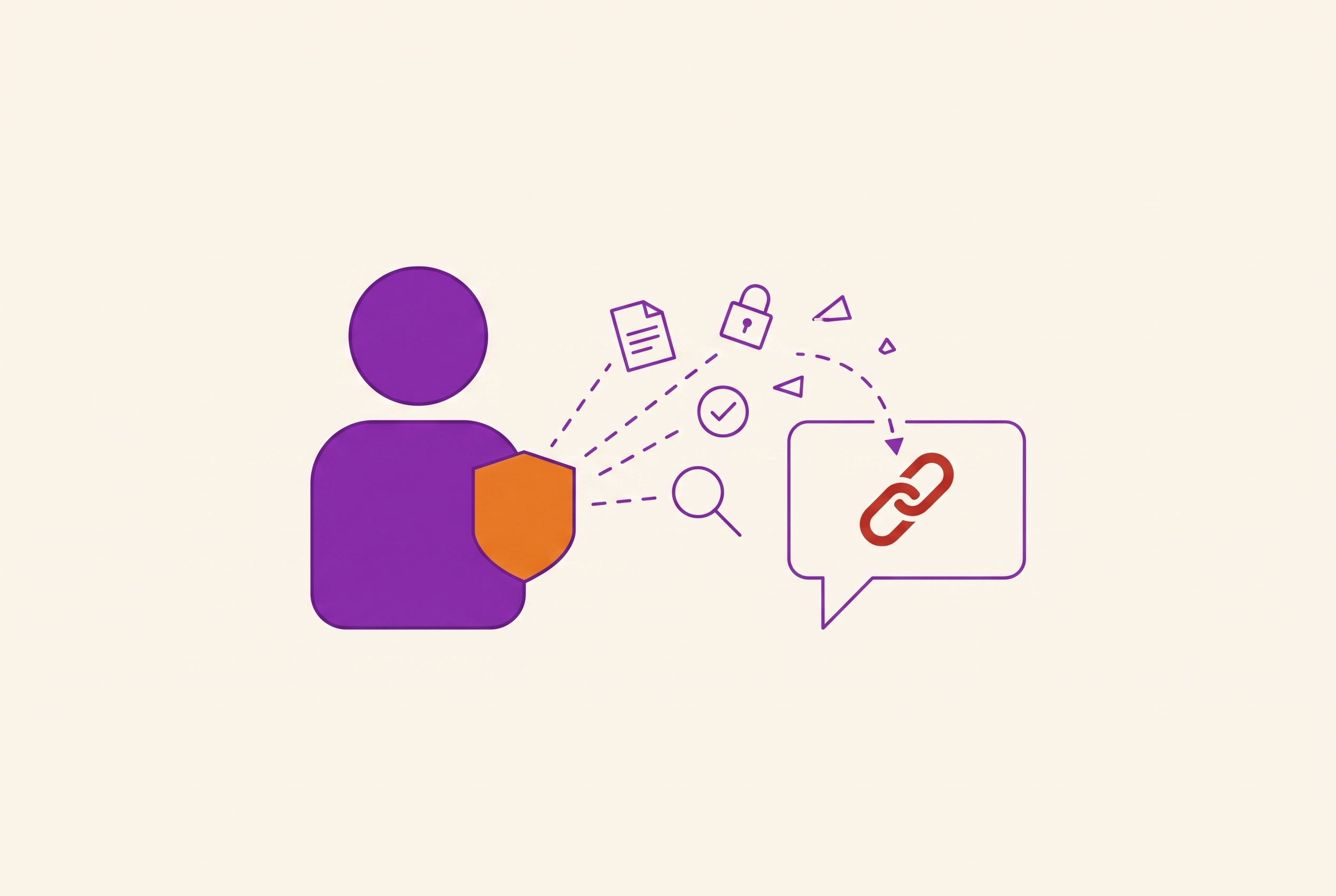
For buyers seeking an alternative visitor identification tool with more than a LinkedIn profile, the decisive criteria are contact details, session history, CRM integration, ad attribution, and privacy controls. A URL-only Slack alert identifies someone without supplying the context needed to pursue an opportunity. Privacy-conscious buyers should compare tools on usable, compliant records delivered into their workflow.
Why a Slack ping with a LinkedIn URL is not a lead
A rep receives a Slack notification, opens the LinkedIn profile, and finds a person who could fit the target account. The next step is less clear. There is no work email, no indication of what the visitor read, and no account history attached. Before reaching out to anyone, the rep must look for contact details, check the CRM, and try to tell whether the visit shows an interest in buying.
That research consumes the time the alert supposedly saved. Identifying a person feels like progress because an anonymous visit now has a name, but a name does not establish intent or permission to contact. Nor does it distinguish a prospective customer from an existing one. The notification is a starting point.
What visitor identification tools are actually resolving, and at what rate
Company-level identification uses reverse-IP lookup to match a visitor’s IP address to the network of a company. It returns firmographics, including company name, industry, and size. Independent tests of twelve platforms found company-level match rates of roughly thirty to sixty-five percent of B2B traffic. Remote work weakens this method’s central link. Employees using residential broadband or VPNs may no longer resolve to an employer, pushing results toward the lower end for distributed-workforce audiences.
A pixel matches visitor device signals against identity graphs, which link devices, hashed emails, and browsing profiles. The record it returns can have a name, title, LinkedIn URL, and work email. The same testing found person-level match rates of roughly eight to forty-one percent of US traffic. One tool gave a rate of forty to forty-five percent in its documentation, while the independent test found ten to twenty percent.
Those ranges describe coverage. The 2026-10-29 practitioner guide distinguishes suggested contacts from probabilistic matching from confirmed visitors. Buyers therefore need to separate the identification layer, the evidence behind a match, and the fields actually delivered. A Slack interface alone reveals none of those differences, while limited identity-graph coverage beyond the United States further restricts what person-level tools can resolve.
The full data payload a person-level tool can return — and what a LinkedIn URL leaves out
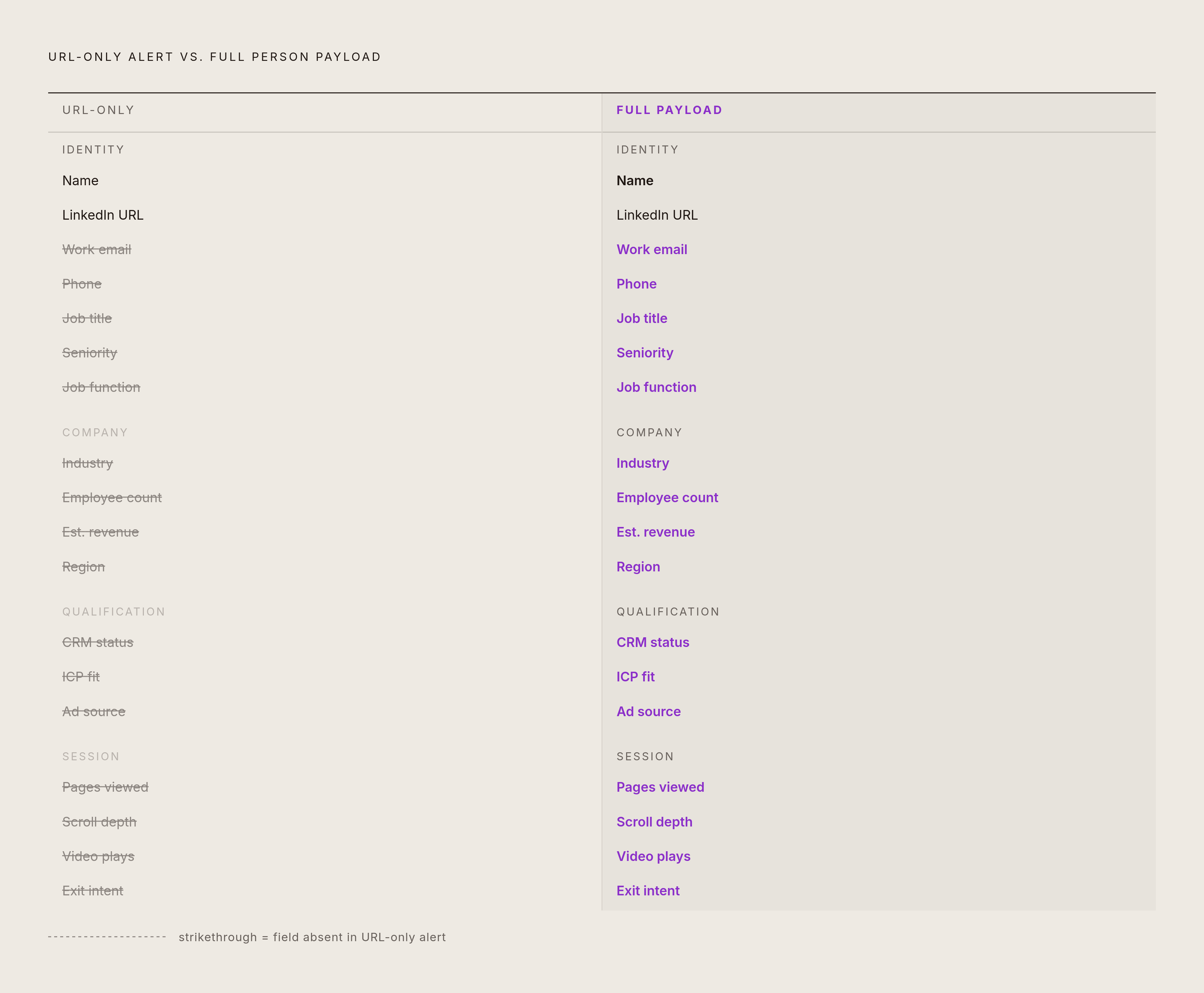
A LinkedIn URL is one field in a potentially much richer record. A person-level payload can include name, job title, company name, work email matched to a business domain, and personal email when available. It can also include a do-not-call-filtered phone number, seniority classification, and job function. The record can also have details about the company: industry, employee count, estimated revenue range, and region.
CRM status can distinguish an existing customer or contact from someone net-new, while an ICP fit flag indicates whether the visitor matches the target customer profile. Traffic-source data can identify the ad platform that brought the visitor, including Google, Meta, or LinkedIn. Session events can show pages viewed, scroll depth, video plays, exit intent, and form interactions. Identity is only one part of this record.
A URL-only alert omits those fields from the delivered payload, even where a platform has resolved more information behind it. The rep receives the profile link and, implicitly, a name. Everything else requires another lookup or remains unavailable. This is a factual distinction between resolving data and making it usable. For a buyer, the relevant comparison is what reaches the rep for an actual visitor, rather than what appears in the product’s broad enrichment description.
How the missing session journey changes what a rep can say and when they can say it
Consider a hypothetical VP of revenue operations who reads a case study twice and visits the pricing page. With that journey attached, the rep has evidence of both subject interest and commercial investigation. With only a LinkedIn URL for the same VP, the rep has neither kind of evidence. A title may show that the person is a good fit, but it cannot explain why this visit needs attention now. The journey supplies the missing reason to act.
Specific events sharpen that distinction further. Three pricing-page visits within a single session, a scroll to the bottom of a competitor-comparison page, or exit intent on an unsubmitted contact form each adds context. The 2026 roundup distinguishes repeated pricing, demo, or product-page visits from a single blog visit as signals of active buying consideration. Without those events, a visitor who spends four minutes on pricing can look identical to someone who arrives from a Google ad and leaves almost immediately.
This is why speed-to-contact alone is an incomplete measure. A prompt message based only on a name can still be irrelevant. Session context helps the rep choose what to talk about and how soon to reach out, without assuming that every identified person is equally ready. When the rep must reconstruct that context manually, both timing and relevance suffer.
What breaks when identified visitors never reach the CRM
Even a richly enriched notification loses operational value if it stops in Slack. Manual copy-paste makes the rep responsible for turning an alert into a record before downstream workflows can use it. That handoff is a bottleneck. At dozens of identified visitors per day, the team cannot sustainably enter every profile link by hand. Alerts that never become records disappear from the pipeline workflow.
Native bidirectional CRM integration removes that manual boundary. It can create or update a contact, enrich existing fields with firmographic and behavioral data, and check whether the visitor is a customer, an open opportunity, or net-new. That status changes the appropriate routing. The notification sent to a rep can then include deal history, while the visit’s intent signals feed scoring models inside the CRM.
The distinction is therefore not simply whether a tool has an integration logo. It is whether identified visitors enter the system where ownership, history, and follow-up are managed. Free or thin-tier tools that deliver only a Slack message typically provide no CRM integrations, leaving that work to the team. When the team is under pressure to build pipeline, that delay eats into the time the identification service is meant to save.
Why not knowing the ad source of an identified visitor is a budget problem, not just a data gap
An identified visitor without ad-source data leaves paid-media teams unable to connect the person to the campaign that brought them. The budget decision remains unresolved. Without platform and campaign attribution, teams cannot distinguish campaigns bringing high-ICP visitors from those generating low-fit traffic on that evidence, or trace a closed deal to the specific ad behind the initiating visit.
Contact data and CRM context make that attribution operational. Named contacts can form audiences for advertising across LinkedIn, Meta, and Google, while visitors already in an active sales sequence can be suppressed from paid campaigns. Those actions serve different purposes. Retargeting reaches a chosen audience. Suppression keeps the team from paying to reach someone a rep is already calling. A URL-only notification does not supply the enriched contact list and status information needed to support either precisely.
The financial advantage comes from audience quality. Standard pixel-based retargeting on LinkedIn matches a small fraction of visitors, whereas a named list with verified company and title matches produces a smaller but more precise audience and can lower cost per lead. Ad-source data then connects that audience quality back to campaign decisions.
The bot and AI-agent contamination problem that URL-only alerts hide
An identity match does not establish that a human is actively evaluating a purchase. AI crawlers and bots constitute a meaningful and growing share of website traffic, and many do not properly identify themselves. User-agent strings alone cannot reliably separate a legitimate LLM crawler, a spoofed one, and a human session. A tool that fails to filter non-human traffic can therefore surface a false warm lead. The rep may research and contact a person whose apparent visit was an agent or crawler session.
This also complicates headline match rates. A rate that counts non-human sessions as identified human visitors overstates the lead pool available to sales. The denominator needs to be clear. Human-session identification rates and total-session identification rates measure different things, so a high reported rate does not by itself show that a tool covers more prospects.
Bot-aware platforms can instead expose the operator behind an agent visit, the content consumed, and the user-agent classification. That preserves a distinct kind of signal. A competitor’s research tool, an LLM crawling for training data, and a procurement AI evaluating vendors are not interchangeable with a human buyer. Their activity may be informative, but only when it is classified separately from the human lead queue.
What the compliance constraint means for buyers evaluating tools on US demo traffic
Compliant person-level identification is achievable in the United States, but a US demonstration does not predict international performance. Identity-graph coverage is narrower outside the US, and legal requirements further constrain identification. Geography changes the available product as well as the match rate. A buyer with substantial European traffic may therefore see a different kind of record from the one presented in a US-focused demo.
Under GDPR and ePrivacy, person-level identification generally needs explicit consent from EU and UK visitors. In practice, that means a clear cookie banner and no identification until the visitor affirmatively agrees. Company-level reverse-IP identification is the accepted standard for international traffic, with legitimate interest recognized as a lawful basis under GDPR for B2B IP-to-company matching. That is a different identification layer. It does not provide the person-level contact record shown in a US example.
Buyers should check what happens to EU, UK, and APAC visits. Does the tool fall back to company-level identification, suppress identification, or continue person-level identification without consent? The practitioner guide notes that browser restrictions, consent requirements, VPN usage, and privacy laws limit certainty. Its stated goal is to increase known-visitor coverage compliantly. A claim of person-level coverage across all traffic therefore needs an explanation of consent and regional handling.
How to audit an RB2B alternative before buying
A useful trial compares the records the tools send. Buyers should ask whether each record includes work email and phone, a full session event journey, CRM status, ad platform and campaign, seniority, job function, and ICP fit. The comparison should show which fields are missing. A platform’s ability to return a field in principle is different from its availability for the visitors the team actually receives.
Match-rate questions should distinguish person-level from company-level results and human sessions from bots and agents. Buyers should test the person-level rate on their own traffic during the trial. The 2026 independent testing found significant divergence between claimed and tested rates. That makes a parallel trial of a fuller-payload platform and the current URL-only tool the concrete basis for comparison. Regional results should also reflect the traffic that feeds the actual pipeline.
Workflow questions need equally specific answers. Does the tool write records automatically into HubSpot, Salesforce, or Attio, or require manual export? Does it support cryptographically signed webhooks for custom routing? Can data reach the team’s other tools and AI agents through an API, MCP connector, or bulk export?
Privacy-conscious buyers should also ask whether the tool honors Global Privacy Control signals for US visitors and separately classifies AI-agent and bot sessions. Regional fallback and consent handling belong in the same evaluation as enrichment and CRM sync. Which tools make the shortlist will depend on whether a team needs person-level outreach, international company-level coverage, or deeper attribution. The purchasing standard is a usable record within those constraints.
Every new piece from Opt Out Report, as it's published.
FollowMore from Opt Out Report
- The Visitor Tools That Log What Someone Did Before You Ever See Their Name8 min read →
- Person-Level Visitor Tools Ranked by How Much of the Session Survives Into the Contact Record9 min read →
- Visitor Platforms That Surface Business Email and Phone Without Routing Identity Through LinkedIn First8 min read →